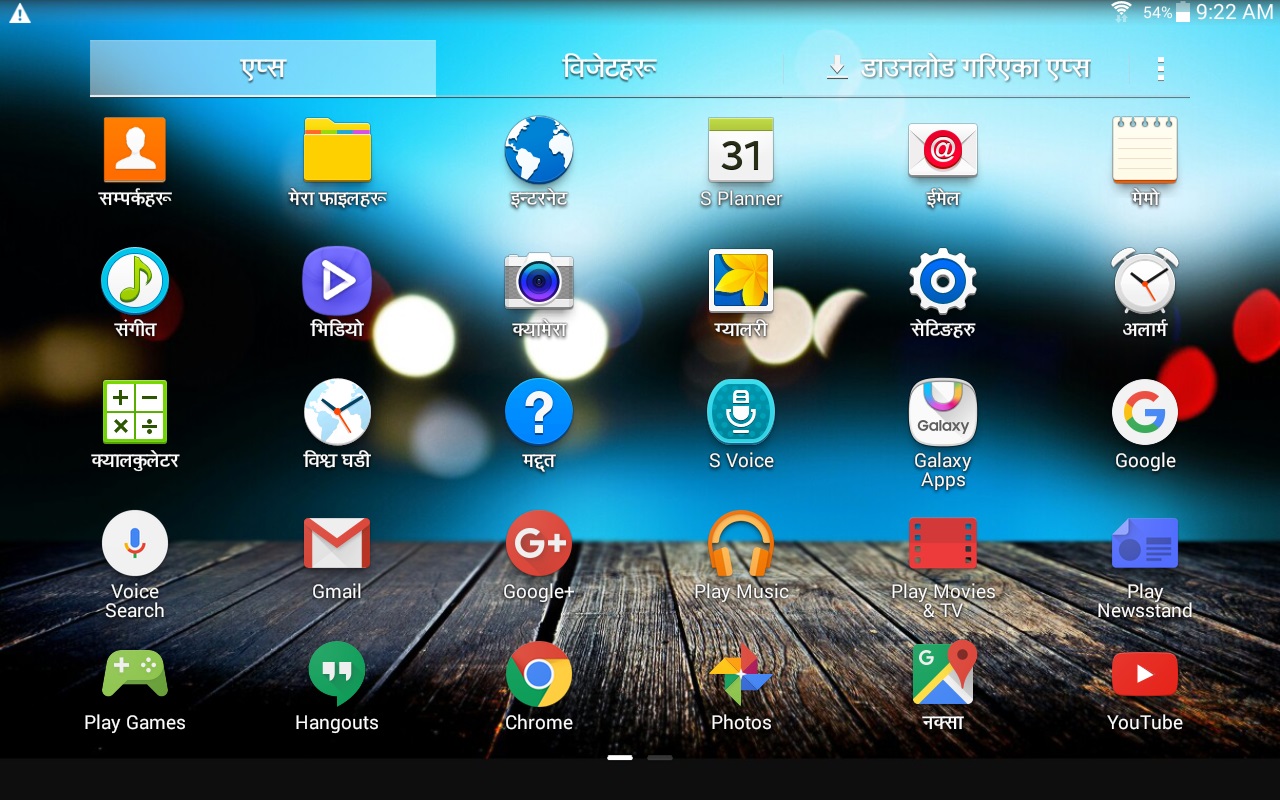
How many of you have used Nepali Language in Android Devices? You might have used many electronic devices till date. Even though using mother language is a trend in many countries, people here in Nepal don't use Nepali language in their devices that often. A moment that might come pass you “ओहो! मैले पनि यसरी नै आफ्नो भाषामा चलाऊन पाए कस्तो हुन्थ्यो होला?”. For people with such thoughts and interest, Android provides the platform to use Nepali language.
Google has introduced many languages in Android devices. That now includes Nepali language as well. Unlike the Nepali language that is in Windows PC (which only changes the digits and some words only to Nepali), here you can see changes in a wide range of changes. I can bet, your first use will shock you with so many words in Nepali. And, out of those, you even don’t understand some. It is really fun, to use our own language and feels studip when you can't find what you need. It takes a while to know the words that you have never heard of.
But, using Nepali language in a mobile phone is not an easy task. It is recommended to use it at least a couple of days so that you get used to it. As mentioned above, the user come across many unknown words.
I have already used Nepali language in my phone for more than six months. During my use, I have gone through so many new words. Also, many words are being introduced by google in every software update. Some words that you will see if you are planning to use Nepali in your phone:
साझेदारी - Sharing, अध्यावदिक - Update, अनुप्रयोग -Application, स्थापित - Installed, सञ्जाल - Network, सामाग्री – Stuff
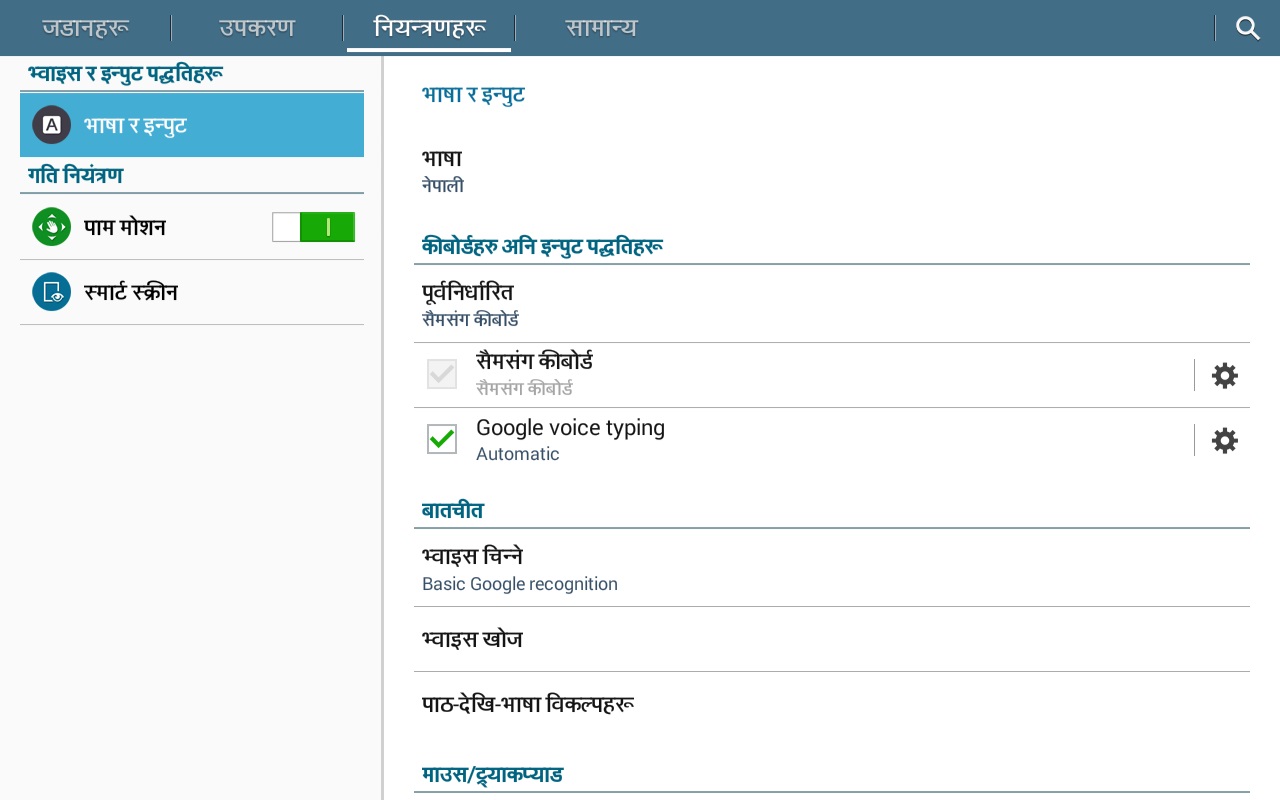
Having used Nepali language in OnePlus One, Lava Iris Selfie 50 and Samsung Galaxy Tab 4 it works out very well in Nepali too. It's about some time and patience.
Out of every 10 people who saw my smartphone, 8 out of them asked, “Are you insane? and the reason behind using my phone in Nepali. Also, argued on changing it back to English. While one praised it to be cool. Among the ten one of them also wanted to try it in his smartphone.

How to change your phone to Nepali language?
Step 1: Go to ‘Settings’
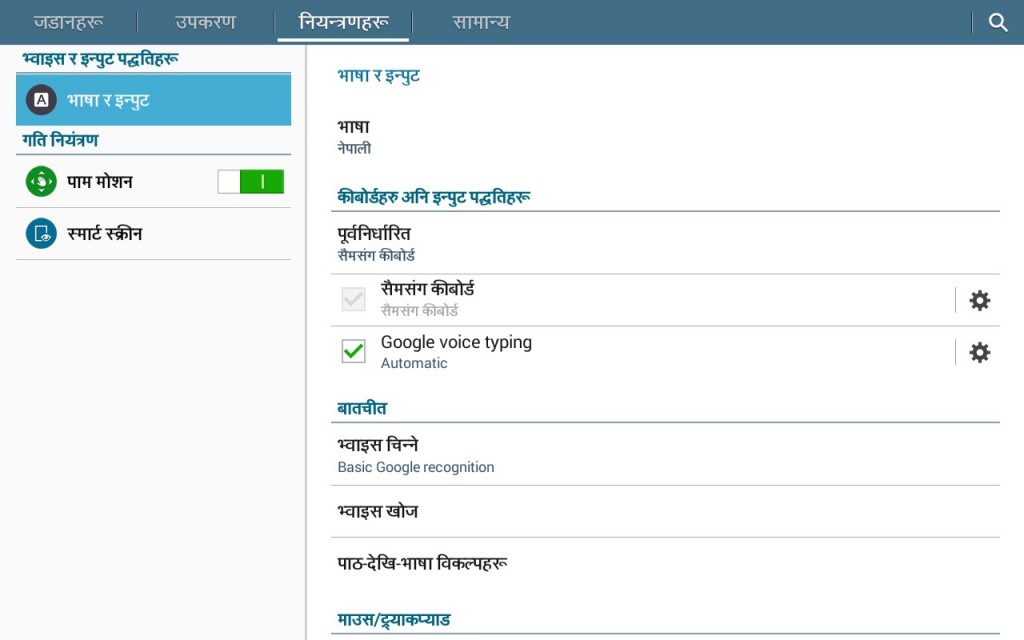
Step 2: Go to ‘Language and Input’ (might differ with phone)
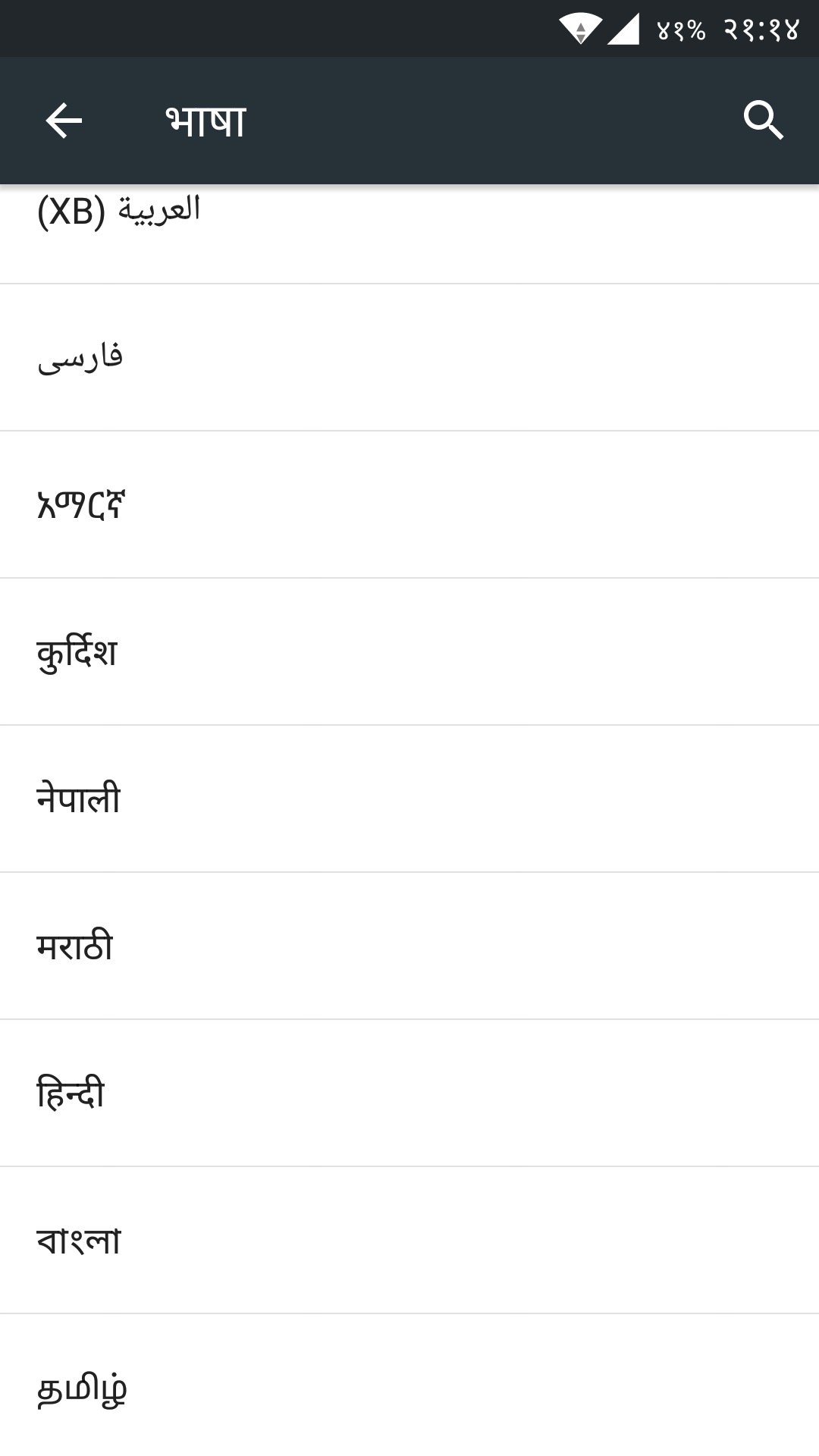
Step 3: Go to ‘Language’
Step 4: Select ‘नेपाली’
Note: You will find Nepali almost at the bottom of the list.
Article Last updated: December 28, 2015